


Ecommerce stores create duplicate content problems at a scale most websites never face. A single product available in multiple colors and sizes can generate dozens of near-identical URLs. A category with filter options can produce thousands. Most of the time, no one made a deliberate decision for this to happen. It is just how these platforms work by default.
This guide covers what duplicate content actually does to your store, how to find it, and how to fix each specific type.
What duplicate content actually does to your store
Duplicate content does not trigger a manual Google penalty in most cases. The real harm is practical and shows up in three ways.
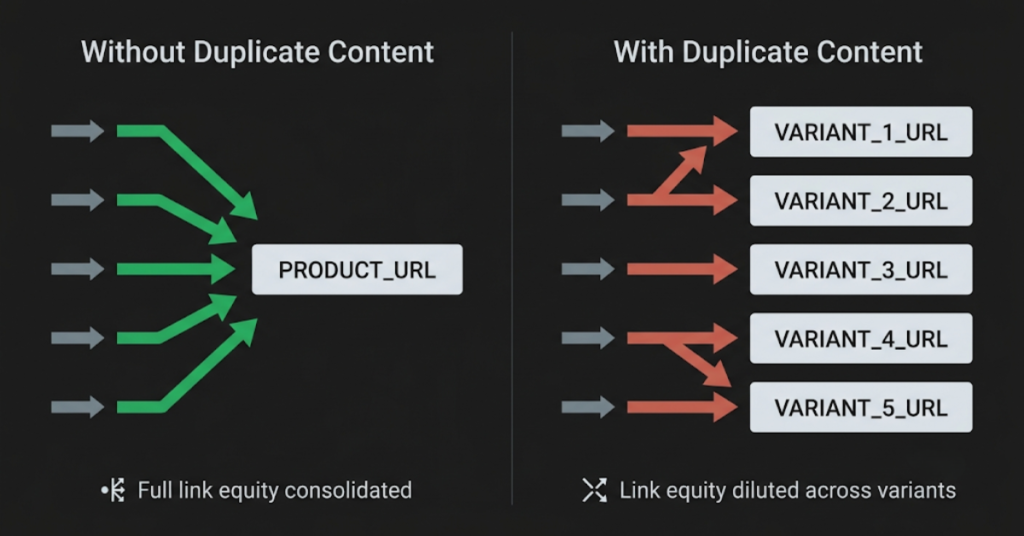
- It splits link equity. When multiple URLs contain the same or near-identical content, any links pointing to those pages spread their value across all versions instead of building on one. A product page that could develop strong ranking authority ends up sharing it with several variant URLs.
- It wastes crawl budget. Googlebot has a limited amount of time to spend on your site. Every duplicate URL it visits is time not spent on a page that matters. On large stores, this is one of the main reasons important products and categories go unindexed.
- It causes Google to index the wrong version. When Google finds multiple versions of the same content, it picks one to index. It does not always choose the one you want. A filtered category URL or a parameter-based variant page can end up indexed instead of the clean version you actually want ranking.
How to find duplicate content on your store
Before applying any fixes, confirm what you are dealing with. Applying canonical tags to the wrong pages or blocking the wrong URLs creates more problems than the duplicates themselves.
Screaming Frog SEO Spider
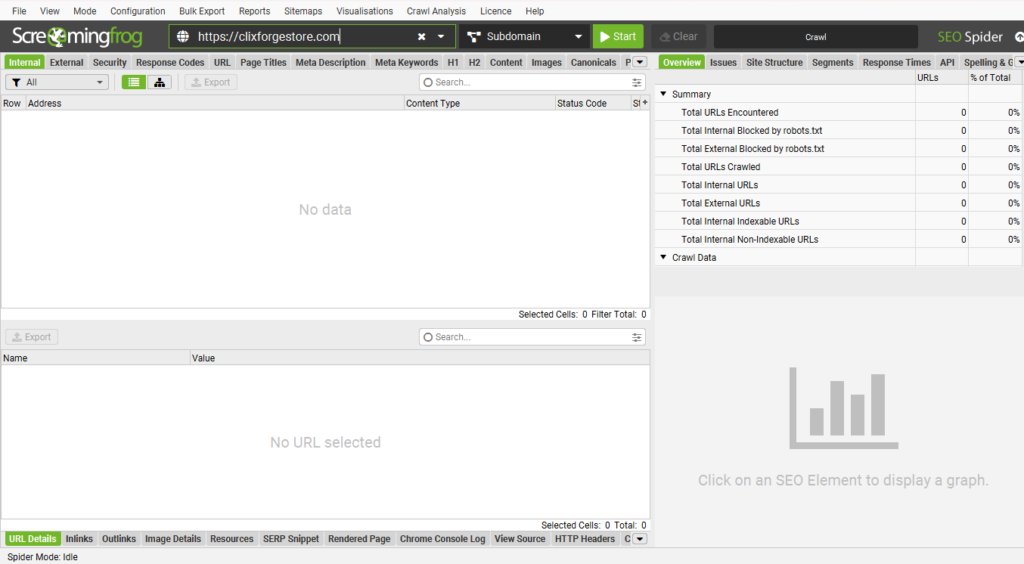
Screaming Frog crawls your site the way Googlebot does and flags near-duplicate pages based on page titles, meta descriptions, and content similarity. Run a full crawl, then filter by duplicate page titles first. This surfaces the most obvious problems quickly. After that, filter by duplicate meta descriptions to catch product variant pages where only the product name differs.
The free version handles up to 500 URLs. Larger catalogs need the paid version.
Google Search Console coverage report
In GSC, open the Coverage report and go to the Excluded tab. Look for two specific entries: “Duplicate without user-selected canonical” and “Duplicate, Google chose different canonical than user.” Both mean Google found multiple versions of a page and made its own decision about which to keep.
Site operator search in Google
Search site:yourdomain.com in Google and scan the results for unexpected URLs in the index. Parameter URLs containing ?sort=, ?filter=, ?sessionid=, or ?ref= appearing in results confirm that duplicate parameter pages are being indexed.
The most common sources of duplicate content and how to fix each one
Not sure which type applies to your store? Use the tool below to find your fix in under a minute.
Product variant URLs
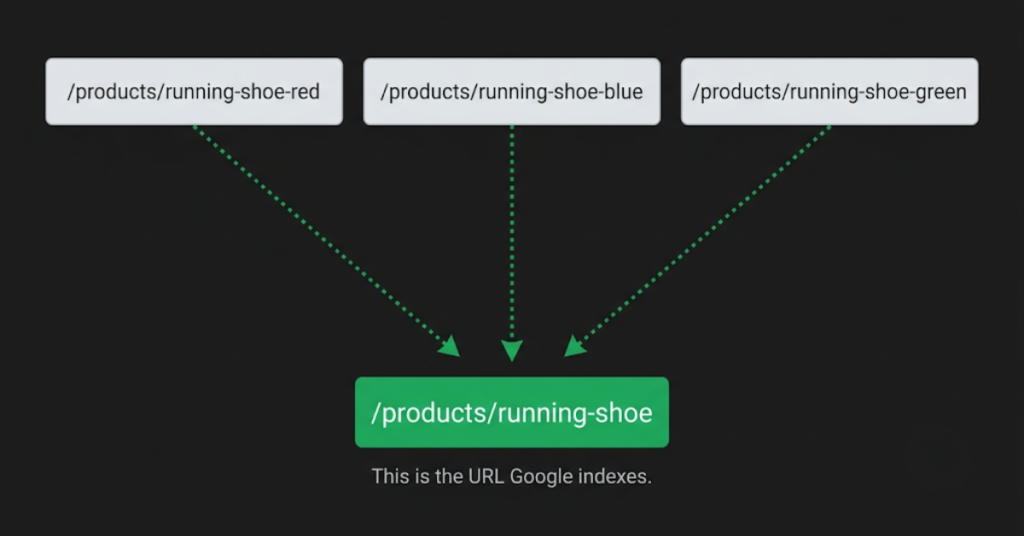
What causes it: A product available in multiple colors, sizes, or materials generates a separate URL for each combination. /products/running-shoe-red, /products/running-shoe-blue, and /products/running-shoe-green all exist as distinct crawlable pages. If each variant uses the same product description, the same images, and only changes the color name in the title, Google sees near-identical pages competing with each other.
How to fix it: Add a canonical tag on each variant page pointing to the main product page.
<link rel="canonical" href="https://yourstore.com/products/running-shoe" />This tells Google the variant pages exist but signals that the main product URL is the one to index.
One important caveat: if your variants are genuinely different enough to deserve their own indexed pages, canonicalizing back to the main product is not appropriate. A shoe that comes in completely different materials with different descriptions and use cases may warrant separate indexing. Apply canonicals to variants that share content, not to variants with meaningfully different page content.
On Shopify: Shopify automatically adds canonical tags on variant URLs pointing to the main product page. Confirm this by inspecting the page source on a variant URL and checking the canonical points to the clean product URL.
On WooCommerce: WooCommerce does not handle this automatically. Use Yoast SEO or Rank Math to manage canonical URLs, or handle it programmatically with developer access.
Faceted navigation and filter pages
What causes it: Filtering by size, color, brand, or price range creates unique URLs for every combination. A category with five filter types and ten options each can generate thousands of crawlable URLs. Most contain partial product listings, no unique content, and no search value.
How to fix it: The right approach depends on whether your filtered URLs have any ranking potential.
For filters with no search value (sort order, price range, in-stock toggles), block them in robots.txt:
Disallow: /*?sort=
Disallow: /*?price=
Disallow: /*?instock=
For filters that could have search value (brand or category combinations people actually search for), use canonical tags pointing back to the root category URL. This lets Google crawl the page while consolidating ranking signals on the clean category URL.
Do not block filter URLs in robots.txt and add canonical tags to them at the same time. When robots.txt blocks a URL, Googlebot cannot read the page at all, which means it cannot see the canonical tag. The canonical becomes useless.
Paginated category pages
What causes it: Category pages with many products spread across multiple pages generate URLs like /category/shoes/page/2 and /category/shoes/page/3. Pages two and beyond usually share the same title tag, meta description, and introductory text as page one, with only the product listings changing.
How to fix it: Page one should have a self-referencing canonical tag. For subsequent pages, the right approach depends on how deep the pagination goes.
If pagination is shallow (two or three pages), let those pages be indexed without canonicalizing them back to page one. The distinct product listings on each page give Google enough reason to treat them separately.
If pagination is deep (ten or more pages), canonicalize pages beyond the first two or three back to the root category URL. Deep pagination pages rarely rank on their own and mostly act as crawl traps.
One mistake to avoid: adding noindex to paginated pages while leaving them in the navigation. Noindex removes them from the index, but Googlebot still crawls them on every visit. If you are noindexing deep pagination pages, also remove the internal links pointing to them where possible.
Copied manufacturer and supplier descriptions
What causes it: Many ecommerce stores, particularly in dropshipping or wholesale, use product descriptions provided by the manufacturer or supplier. The same text ends up published on dozens or hundreds of stores at once. Google identifies this as duplicate content and ranks the most authoritative version, which is rarely a newer or smaller store.
How to fix it: Write original product descriptions. There is no workaround that produces the same result.
Start with your top revenue and traffic-driving products first. Rewriting everything overnight is not realistic, and rushing through the catalog produces thin replacements that do not help. A focused rewrite of your top 20 percent of products will have more impact than a rushed pass through everything.
For stores with thousands of SKUs where full rewrites are not practical, change the structure and focus of the description even if some core information stays similar. A description rewritten from a features-first format into a use-case-first format reads differently enough that Google will not treat it as a direct duplicate.
HTTP vs HTTPS and www vs non-www
What causes it: If your store is accessible at both http:// and https://, or at both www.yourstore.com and yourstore.com, Google can treat these as separate sites with the same content. This is most common on stores that migrated from HTTP to HTTPS without setting up proper redirects, or on platforms where the URL configuration was never finalized.
How to fix it: Set up 301 redirects from all non-preferred versions to your canonical domain. Pick one preferred version and redirect everything else to it.
http://yourstore.com → https://yourstore.com
http://www.yourstore.com → https://yourstore.com
https://www.yourstore.com → https://yourstore.com
After setting up redirects, set your preferred domain in Google Search Console under Settings so GSC data consolidates correctly.
To check whether this is an issue, manually visit all four URL combinations in a browser. Each should redirect to your single preferred version in one hop with no intermediate stops.
Session IDs and tracking parameters
What causes it: Some ecommerce platforms, particularly older or custom-built ones, append session IDs to URLs to track visitor sessions. Every user gets a unique URL: /products/running-shoe?sessionid=abc123 for one visitor, /products/running-shoe?sessionid=xyz789 for another. Googlebot receives a different URL on every visit and treats each as a new page. Affiliate tracking parameters and UTM parameters added to product URLs cause the same problem.
How to fix it: The right long-term fix is moving session tracking to cookies rather than URLs. This is a development task, but it eliminates the problem permanently.
If a code change is not immediately possible, add the session ID parameter to the URL Parameters tool in Google Search Console under Legacy Tools. Mark it as a parameter that does not change page content. This tells Google to treat all variations of that parameter as the same page.
For UTM parameters showing up in indexed URLs, check whether your marketing team is linking to internal product pages with UTM parameters attached. UTMs belong in paid ads and emails where the destination URL is not discoverable by crawlers. They should not appear on links within your own site.
Frequently asked questions
Not usually. Google’s own guidance says duplicate content rarely leads to a manual penalty unless the duplication is clearly intended to manipulate rankings. The actual damage is indirect: link equity gets diluted, crawl budget gets wasted, and Google may index the wrong version of your pages. These outcomes reduce ranking ability without triggering any formal action.
Duplicate content means the same or near-identical content exists at more than one URL. Thin content means a page exists with very little meaningful content, even if it is unique. Both affect ecommerce stores, but they need different fixes. Duplicate content is addressed through canonicals, redirects, and robots.txt. Thin content requires improving what is actually on the page.
No. A canonical tag tells Google which version to index, but it does not force removal of the others. Google treats canonicals as a strong hint and usually follows them, but compliance is not guaranteed. If a duplicate page is already indexed and you need it removed, use the URL removal tool in GSC in addition to the canonical tag.
Search the exact page title in Google using quotation marks. If a URL other than your preferred canonical appears in the results, Google has indexed the wrong version. You can also inspect individual URLs directly in GSC to see their index status and whether Google has recognised the canonical tag.
They can. If the only difference between two product pages is the name in the title and a few words in the body, Google may treat them as near-duplicates. This is common on stores using a single description template across a product range. Adding enough distinct content to each page, such as specific use cases, material details, or sizing guidance, is usually enough to avoid the problem.