

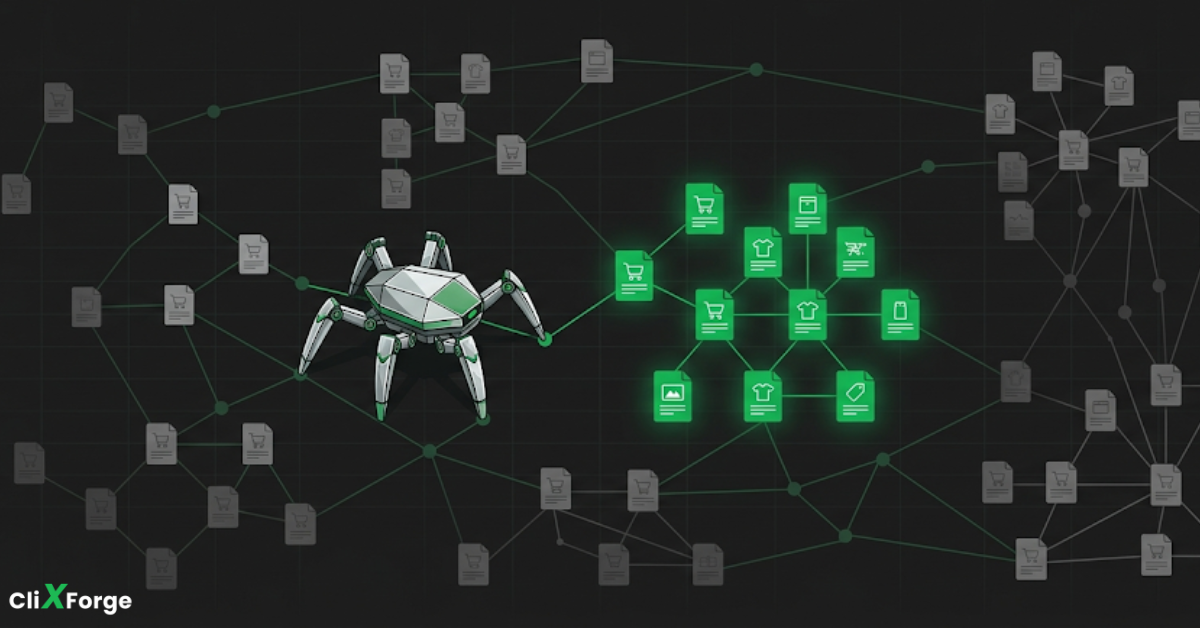
Large ecommerce stores have a problem most small sites never face: Google has a limited amount of time to spend on your website, and if it burns that time on the wrong pages, your most important products and categories may never get indexed.
This guide covers what crawl budget is, why ecommerce stores are especially prone to wasting it, how to spot the problem, and exactly what to fix.
What is crawl budget?
Crawl budget is the number of pages Googlebot will crawl on your site within a given timeframe.
It is shaped by two things working together. The first is crawl rate limit, which is how fast Googlebot can crawl your site without overloading your server. The second is crawl demand, which is how much Google actually wants to crawl your site based on its popularity, link profile, and how frequently content changes.
The effective crawl budget sits at the intersection of both. Google will not crawl faster than your server can handle, and it will not bother crawling pages it has decided are not worth its time.
For small sites with a few hundred pages, crawl budget is rarely a concern. For ecommerce stores with thousands of products, multiple categories, filters, variants, and a constantly changing catalog, it becomes one of the more overlooked causes of indexation problems.
Why ecommerce stores burn through crawl budget faster than other sites
Most crawl budget problems on ecommerce sites come from URL bloat. The store generates far more crawlable URLs than it has content worth indexing, and Googlebot wastes its quota on pages that should never have been accessible in the first place.
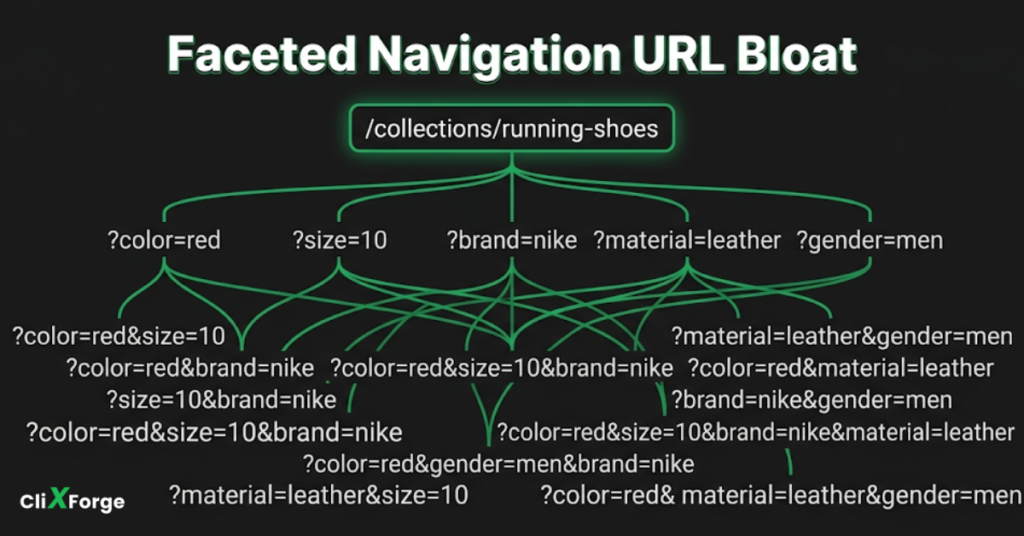
These are the most common sources of wasted crawl budget on ecommerce sites.
Faceted navigation and filter URLs
Filtering by size, color, brand, price range, and other attributes creates unique URL combinations. A category with 10 filter options across 5 attributes can generate hundreds of thousands of URL variations, most with near-identical or partial content. Googlebot will crawl them if they are accessible, regardless of whether they have any search value.
Product variant URLs
A single product available in six colors and four sizes can produce 24 separate URLs. If each variant has its own page with the same description, the same images, and only the color or size changing in the title, Googlebot is crawling 24 pages to get the same information.
Internal site search results
If your internal search is accessible to crawlers, every search query generates a new URL. Googlebot will follow these indefinitely. A URL like /search?q=blue+running+shoes has no business being in Google’s index, but it will still consume crawl budget if it is not blocked.
Pagination
Deep pagination on category pages, filtered results, and review sections can produce dozens of additional crawlable pages per category. The further the pages go, the less likely they contain products worth indexing.
Session IDs and tracking parameters
Older platforms and certain analytics setups append session IDs or UTM parameters directly to the URL. This creates infinite unique URLs from the same page. It is less common on modern platforms but still appears in legacy stores and certain third-party integrations.
Out-of-stock and discontinued product pages
Products go out of stock. Products get discontinued. If those pages remain crawlable without any direction from the site, Googlebot continues revisiting them on each crawl cycle, getting nothing useful in return.
How to tell if your store has a crawl budget problem
Before making any changes, confirm that crawl waste is actually happening. There are three places to look.
Google Search Console crawl stats
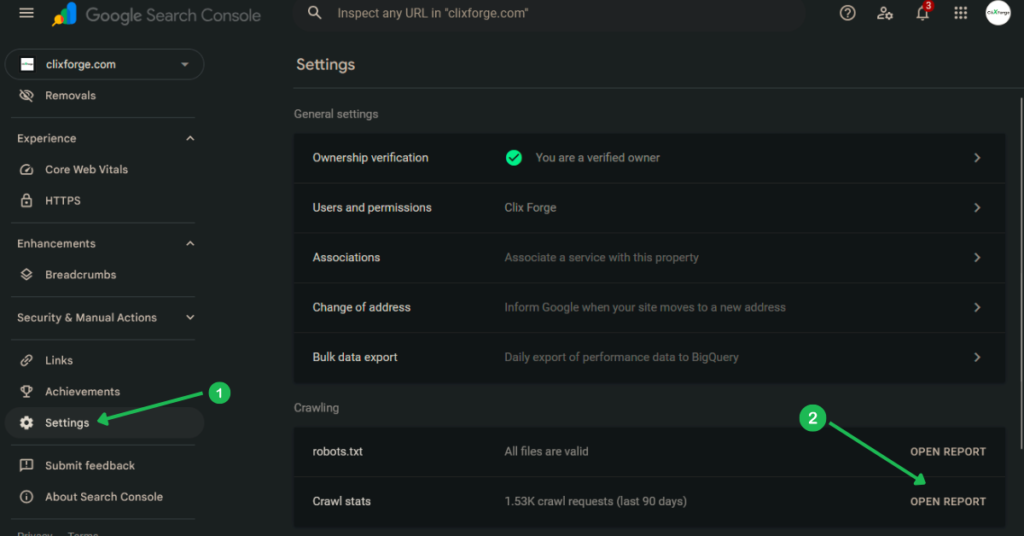
Go to Settings in Google Search Console, then open the Crawl Stats report. This shows you how many pages Googlebot crawled per day over the past 90 days, broken down by response type, file type, and crawl purpose.
What to look for: a high number of crawl requests combined with a low or stagnant number of indexed pages. If Googlebot is crawling 5,000 pages a day and you only have 2,000 products indexed out of 8,000, something is pulling crawl attention away from the pages that matter.
Coverage report gaps
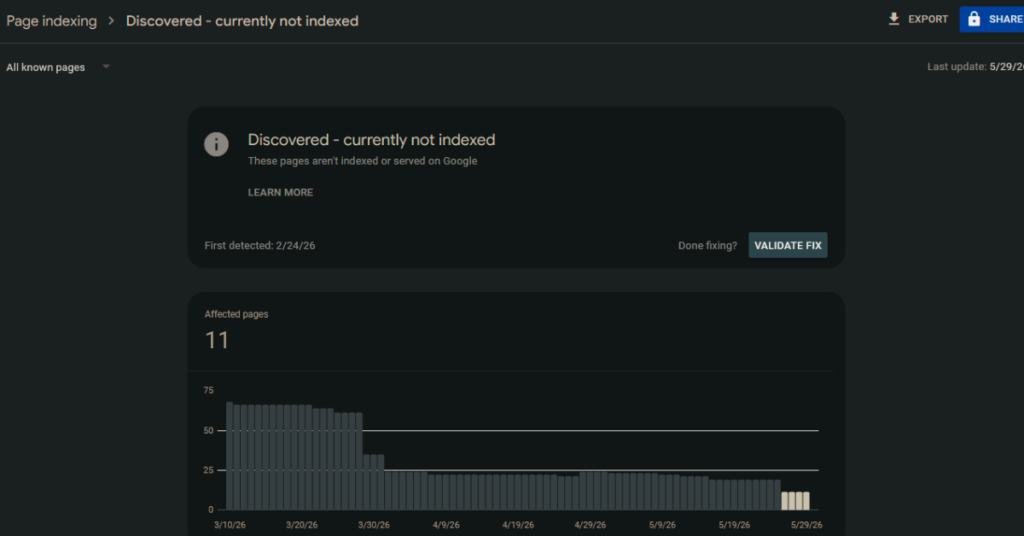
In the Coverage report, the “Discovered but not indexed” category is a strong signal. These are pages Google found, added to its queue, and has not yet crawled or indexed. A large and growing number here often means Googlebot ran out of crawl budget before reaching them.
Server log analysis
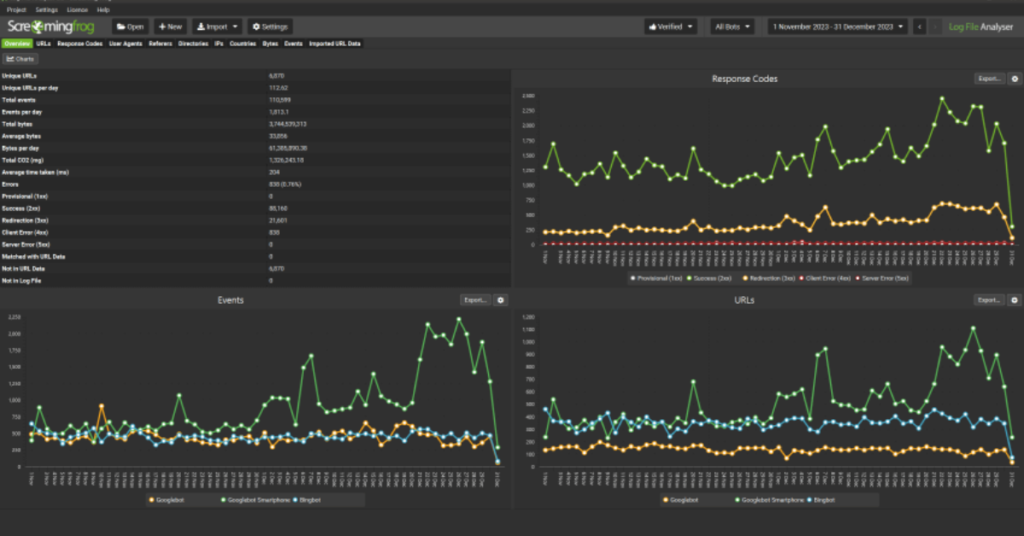
Server logs are the most precise source of crawl data. They show exactly which URLs Googlebot requested, how often, and what response it received. Look for bots spending significant time on parameter URLs, filter combinations, search results pages, and pagination. If the pattern shows Googlebot hitting thousands of low-value URLs on each visit, you have a crawl budget problem.
Log analysis requires direct server access or a tool like Screaming Frog Log File Analyser or Botify. It is more involved but gives you information GSC alone cannot.
How to fix crawl budget issues on ecommerce sites
The goal is to make every crawl Googlebot spends on your site count toward pages you actually want indexed. That means eliminating access to low-value URLs, consolidating near-duplicate pages, and making it easier for Googlebot to find what matters.
Block wasteful URLs via robots.txt
Robots.txt tells crawlers which URLs not to visit. It is the most direct way to stop Googlebot from wasting time on specific URL patterns.
For internal search results:
Disallow: /search

Disallow: /search/
For filter and sort parameters (adjust for your URL structure):
Disallow: /*?sort=

Disallow: /*?filter=

Disallow: /*?color=
One constraint to be aware of: blocking a URL in robots.txt does not remove it from the index if it was already crawled and indexed. For pages already in the index, use noindex instead. Robots.txt prevents future crawling. It does not deindex what is already there.
Canonicalize near-duplicate pages
A canonical tag tells Google which version of a page is the one that should be indexed. On ecommerce sites, the most common use cases are:
- Product variant pages: set the canonical on each color or size variant to the main product page, unless each variant genuinely warrants its own indexed page.
- Filtered category pages: set the canonical on filtered results back to the root category URL.
- Paginated pages: the first page should be canonical to itself. For pages two and beyond, either canonical back to page one (if the content is not meaningfully distinct) or leave them without cross-page canonicals and let Google decide.
One thing to understand about canonicals is that Google treats them as a strong hint, not a directive. It will usually follow them, but it is not guaranteed. If canonicalization alone is not working after several weeks, combine it with robots.txt disallow for the parameter patterns you want blocked entirely.
Use noindex on low-value pages
Noindex prevents a page from appearing in search results without blocking Googlebot from crawling it. This is the right approach for pages you want Google to visit (so it can follow links on them) but not rank.
Useful cases on ecommerce sites:
- Internal search result pages
- Empty category pages produced by filter combinations that return no products
- Tag or label archive pages that aggregate content without adding meaning
For out-of-stock product pages, noindex is not always the right call. If the product is temporarily unavailable but returning, keeping the page indexed preserves any link equity and rankings it has built. Noindexing and then reversing it later is a disruptive process. The better approach for temporarily out-of-stock products is to keep the page indexed with clear on-page signals, and redirect or noindex only when the product is permanently discontinued.
Fix redirect chains
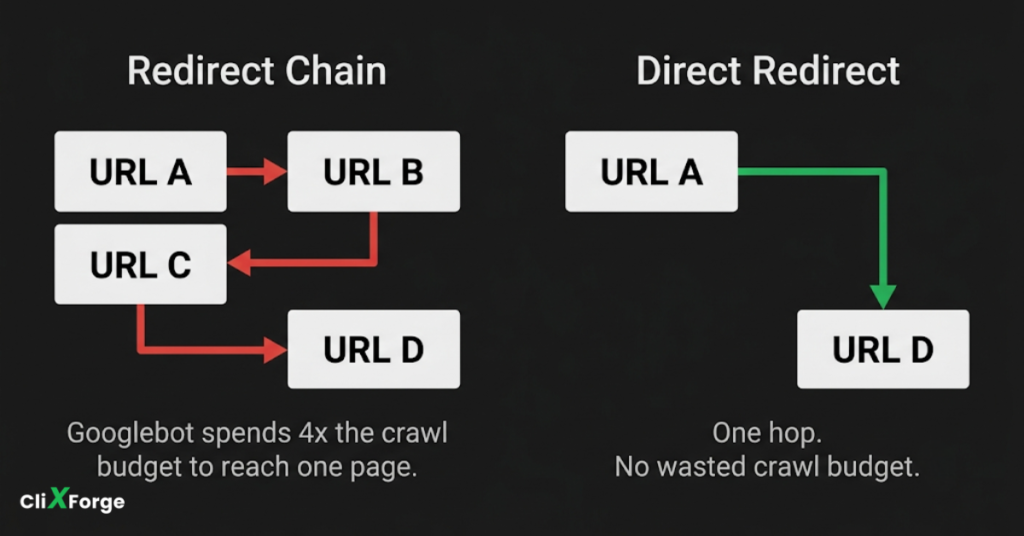
Every redirect in a chain consumes part of the crawl budget for that URL. A redirect chain of four or five hops means Googlebot is spending five times the resource to reach one destination.
Audit your redirects and collapse chains into direct source-to-destination redirects. This applies to product URL changes, category restructures, and domain migrations where old redirect logic was layered on top of older redirect logic over time.
Strengthen internal linking
Pages that receive more internal links get crawled more frequently because Googlebot discovers them through those links. Improving internal link structure helps Googlebot reach your most important pages faster and more often.
On ecommerce sites, the most impactful internal linking improvements are:
- Make sure every product is reachable from at least one category page. Orphaned products, those with no internal links pointing to them, are easy to miss and common on large catalogs.
- Use breadcrumbs consistently. They signal hierarchy and create additional crawl paths.
- Related products sections on product pages create cross-links that help Googlebot navigate the catalog without relying entirely on the main navigation.
Keep your XML sitemap clean
Your sitemap should only include URLs you want indexed. Submitting a sitemap full of redirect URLs, noindexed pages, or 404s wastes the signal it is supposed to send.
Check your sitemap against these criteria: every URL in the sitemap should return a 200 status, should not have a noindex tag, and should not be blocked in robots.txt. A URL that is simultaneously in your sitemap and blocked in robots.txt sends contradictory signals.
Update your sitemap regularly as products are added, removed, or changed. Most platforms handle this automatically, but verify that discontinued products are removed from the sitemap promptly.
Build links from other websites
All of the fixes above focus on reducing crawl waste. This one increases crawl demand, which is the other side of the equation.
Crawl demand is partly driven by how popular and authoritative Google perceives your site to be. Sites with strong backlink profiles get crawled more frequently because Google treats external links as a signal that a site is worth revisiting often. A store with hundreds of quality links pointing to it will naturally attract more Googlebot attention than a store with none, even if both have identical technical setups.
How to monitor crawl budget after making changes
Changes to crawl budget do not produce immediate results. Googlebot needs time to recrawl and reprocess the pages affected. Expect to wait three to six weeks after implementing fixes before drawing conclusions.
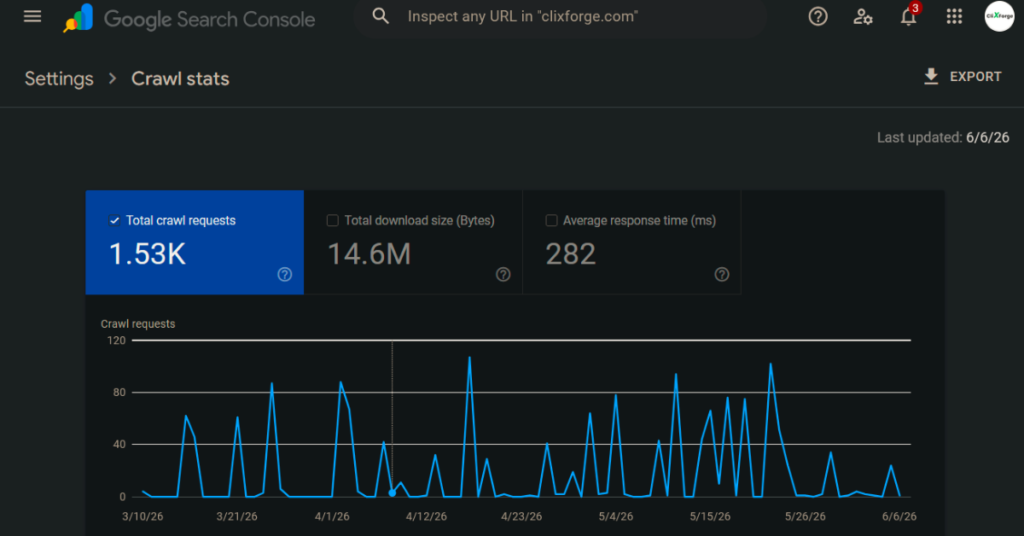
In Google Search Console, check the Crawl Stats report monthly after making changes. Look for:
- A reduction in total crawl requests if you blocked large numbers of wasteful URLs. This is a good sign. Fewer crawls of the right pages is better than more crawls of junk.
- An increase in indexed pages over time, particularly in the Coverage report.
- A reduction in the “Discovered but not indexed” count as Googlebot works through its backlog.
If you have access to server logs, compare log data before and after your changes to see whether Googlebot has shifted its crawl attention toward the URLs that matter.
Frequently asked questions
Not directly. Crawl budget affects whether Google can find and index your pages. A page that is not indexed cannot rank. So while crawl budget is not a ranking factor itself, wasted crawl budget can prevent your pages from being eligible to rank at all. On stores with large catalogs, this is a meaningful distinction.
Robots.txt prevents Googlebot from visiting the URL at all. Noindex allows the visit but tells Google not to include the page in its index. For crawl budget purposes, robots.txt is more effective at reducing crawl volume because the URL is never fetched. Noindex still consumes crawl budget on each visit. Use robots.txt for URL patterns you want completely excluded, and noindex for pages you want Google to be able to crawl through but not rank.
Only if the product is permanently discontinued. Temporarily out-of-stock products should remain indexed to preserve their rankings and link equity. When a product is permanently gone, either redirect the URL to the most relevant category or similar product, or noindex it if no natural redirect target exists. Also, you can have a feature so customers can subscribe to be notified when the product is back in stock.
Three to six weeks is a reasonable window for initial changes to show up in crawl stats and indexation data. Full results, particularly around previously undiscovered pages getting indexed, can take longer depending on how large your catalog is and how frequently Googlebot visits your site.

